

Note
Go to the end to download the full example code.
Extract results on named selections (modal simulation)#
This example shows how to process a modal simulation to extract results like displacement and stress. It selects subparts of the results by scoping on specific nodes and also shows elements.
Note
This example requires DPF 3.0 (2022 R1) or above. For more information, see PyDPF library compatibilities.
Perform required imports#
Perform required imports. This example uses a supplied file that you can
get by importing the DPF examples package.
from ansys.dpf import post
from ansys.dpf.post import examples
Get Simulation object#
Get the Simulation object that allows access to the result. The Simulation
object must be instantiated with the path for the result file. For example,
"C:/Users/user/my_result.rst" on Windows or "/home/user/my_result.rst"
on Linux.
example_path = examples.download_modal_frame()
# to automatically detect the simulation type, use:
simulation = post.load_simulation(example_path)

# to enable auto-completion, use the equivalent:
simulation = post.ModalMechanicalSimulation(example_path)

# print the simulation to get an overview of what's available
print(simulation)
Modal Mechanical Simulation.


Data Sources
------------------------------
/opt/hostedtoolcache/Python/3.10.21/x64/lib/python3.10/site-packages/ansys/dpf/core/examples/result_files/modal/frame.rst

DPF Model
------------------------------
Modal analysis
Unit system: Custom: mm, ton, N, s, mV, mA, degC
Physics Type: Mechanical
Available results:
     -  node_orientations: Nodal Node Euler Angles
     -  displacement: Nodal Displacement
     -  stress: ElementalNodal Stress
     -  elastic_strain: ElementalNodal Strain
     -  elastic_strain_eqv: ElementalNodal Strain eqv
     -  element_orientations: ElementalNodal Element Euler Angles
------------------------------
DPF  Meshed Region:
  5886 nodes
  2842 elements
  Unit: mm
  With solid (3D) elements
------------------------------
DPF  Time/Freq Support:
  Number of sets: 6
Cumulative     Frequency (Hz) LoadStep       Substep
1              253.615690     1              1
2              317.918491     1              2
3              329.825709     1              3
4              575.619678     1              4
5              621.973976     1              5
6              667.364882     1              6
Get available named selections#
print(simulation.named_selections)
['BAR_1', 'BAR_2', 'FACES_INTERIOR_PINS', '_FIXEDSU']
Extract displacements on named selections#
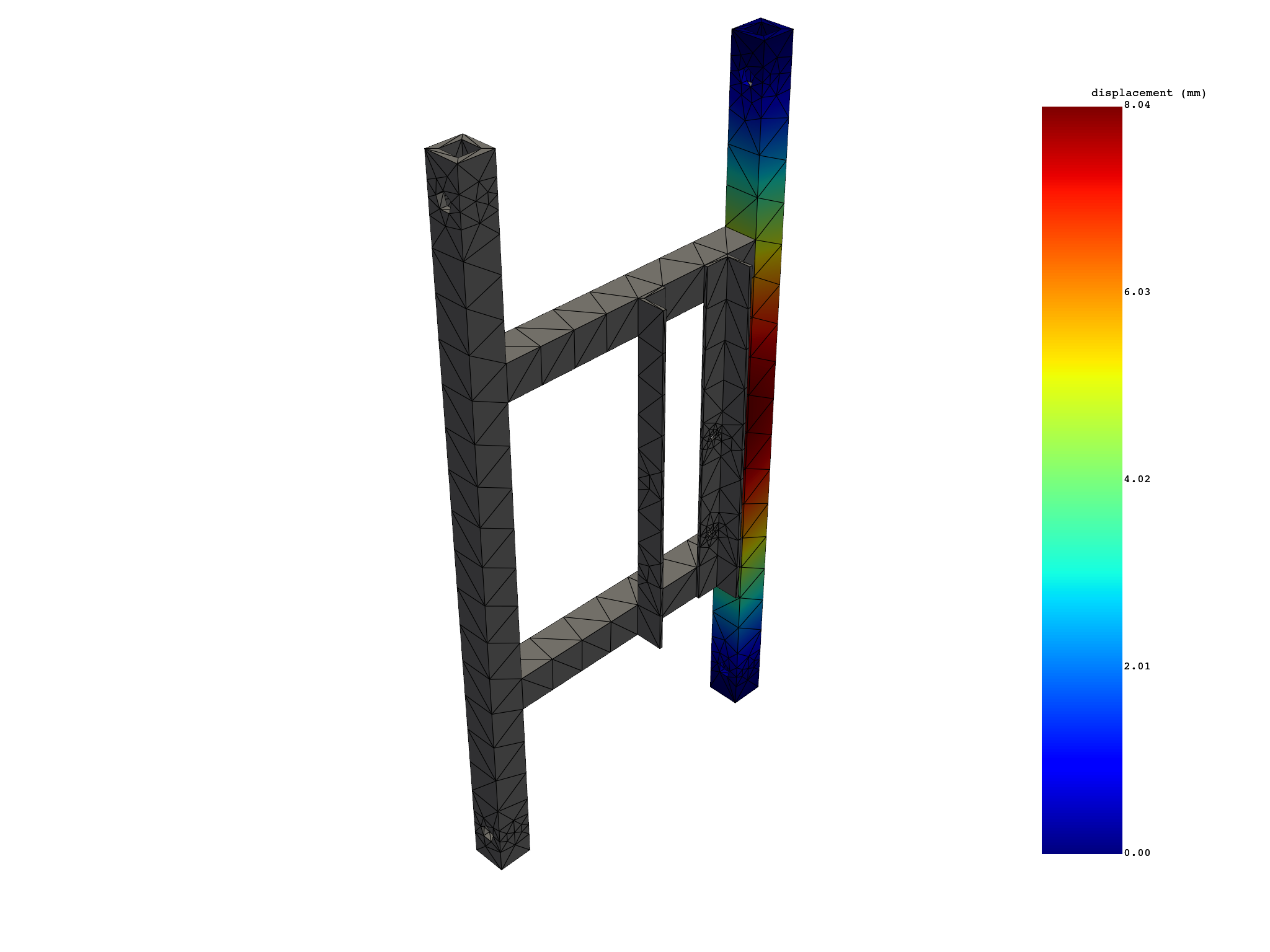
bar1_tot_displacement = simulation.displacement(named_selections=["BAR_1"], norm=True)
print(bar1_tot_displacement)
bar1_tot_displacement.plot()

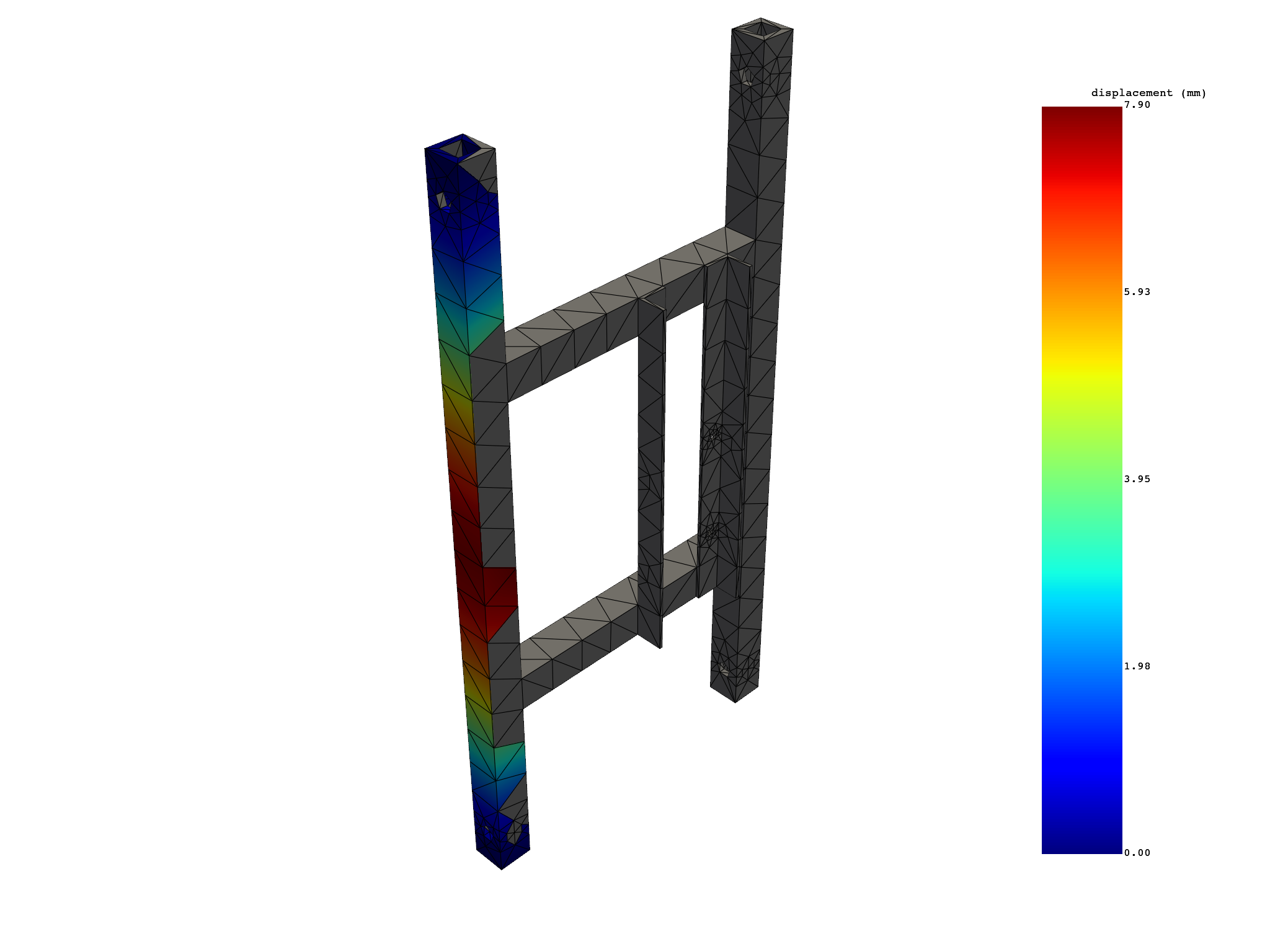
bar2_tot_displacement = simulation.displacement(named_selections=["BAR_2"], norm=True)
print(bar2_tot_displacement)
bar2_tot_displacement.plot()

# both
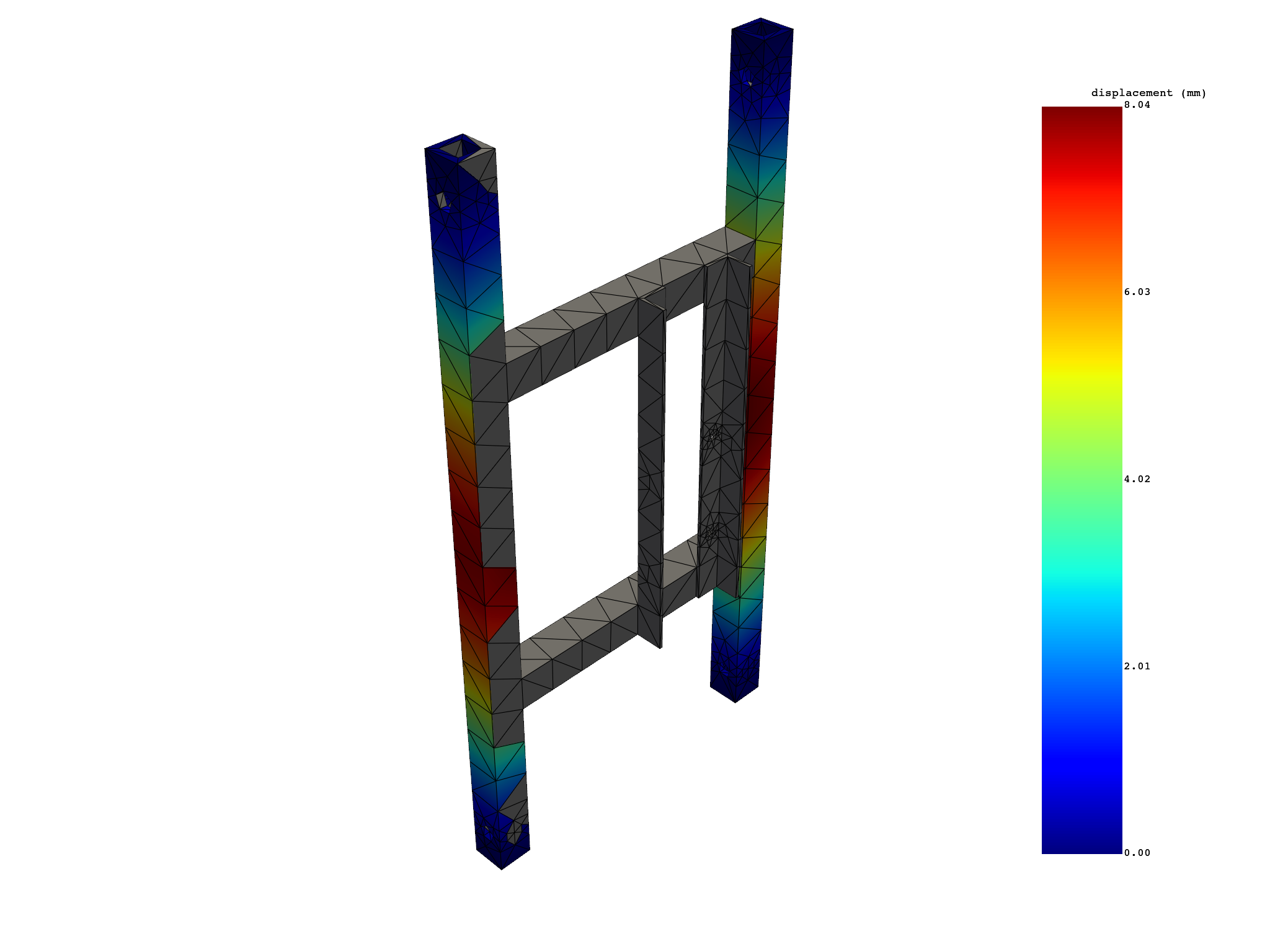
tot_displacement = simulation.displacement(
    named_selections=["BAR_1", "BAR_2"], norm=True
)
print(tot_displacement)
tot_displacement.plot()
  results   U_N (mm)
  set_ids          1
 node_ids
       72 6.2179e-01
       73 5.0563e-01
       74 2.4093e-01
       75 2.2909e-01
       76 4.8153e-01
       77 4.7876e+00
      ...        ...


  results   U_N (mm)
  set_ids          1
 node_ids
       17 5.0483e-01
       18 7.7196e-01
       19 1.2061e+00
       20 2.1481e+00
       21 3.3862e+00
       22 0.0000e+00
      ...        ...


  results   U_N (mm)
  set_ids          1
 node_ids
       72 6.2179e-01
       73 5.0563e-01
       74 2.4093e-01
       75 2.2909e-01
       76 4.8153e-01
       77 4.7876e+00
      ...        ...


([], <pyvista.plotting.plotter.Plotter object at 0x7fc856629990>)
Extract stress and averaged stress on named selections#
eqv_stress = simulation.stress_eqv_von_mises_nodal(named_selections=["_FIXEDSU"])
print(eqv_stress)

# without selection
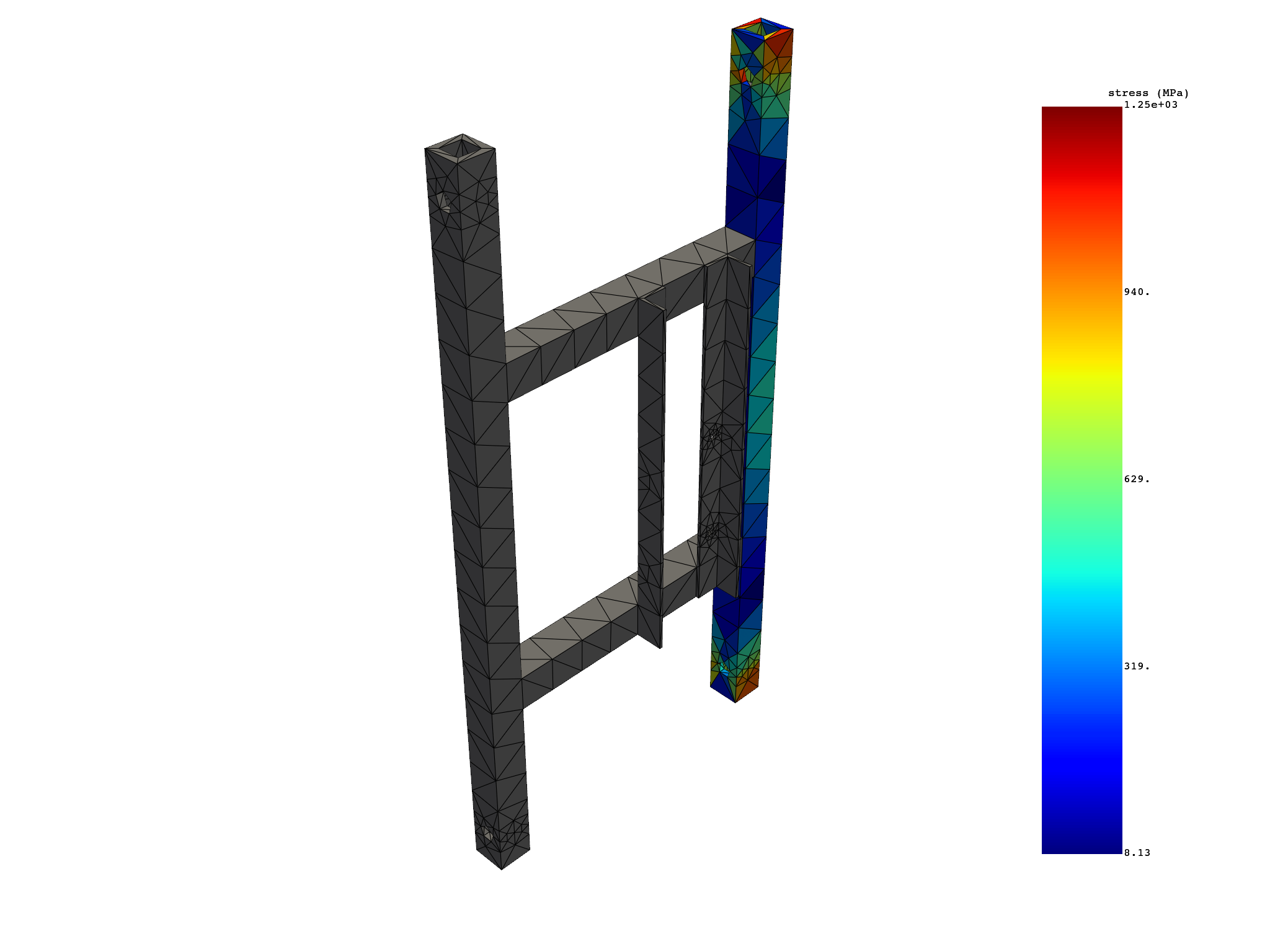
elemental_stress = simulation.stress_elemental(named_selections=["BAR_1"])
print(elemental_stress)
elemental_stress.plot()
  results S_VM (MPa)
  set_ids          1
 node_ids
       22 8.0765e+02
      349 1.0934e+03
       15 1.0859e+03
      371 7.3710e+02
      406 3.4030e+02
      408 4.1398e+02
      ...        ...


                results    S (MPa)
                set_ids          1
 element_ids components
        1137         XX 2.1033e+02
                     YY 1.4585e+02
                     ZZ 6.4862e+02
                     XY 7.8062e+00
                     YZ 3.9888e+01
                     XZ 1.3070e+01
         ...        ...        ...


([], <pyvista.plotting.plotter.Plotter object at 0x7fc85662bf70>)
Total running time of the script: (0 minutes 1.782 seconds)