Note
Go to the end to download the full example code.
Explore and manipulate the mesh#
This example shows how to explore and manipulate the mesh to query mesh data such as connectivity tables, element IDs, and element types.
Note
This example requires DPF 3.0 (2022 R1) or above. For more information, see PyDPF library compatibilities.
Perform required imports#
Perform required imports. This example uses a supplied file that you can
get by importing the DPF examples package.
from ansys.dpf import post
from ansys.dpf.post import examples
from ansys.dpf.post.common import elemental_properties
Load result file#
Load the result file in a Simulation object that allows access to the results.
The Simulation object must be instantiated with the path for the result file.
For example, "C:/Users/user/my_result.rst" on Windows
or "/home/user/my_result.rst" on Linux.
example_path = examples.download_harmonic_clamped_pipe()
simulation = post.HarmonicMechanicalSimulation(example_path)
Get mesh and print it#
mesh = simulation.mesh
print(mesh)
DPF  Mesh:
  9943 nodes
  5803 elements
  Unit: mm
  With solid (3D) elements, shell (2D) elements, shell (3D) elements
Plot mesh#
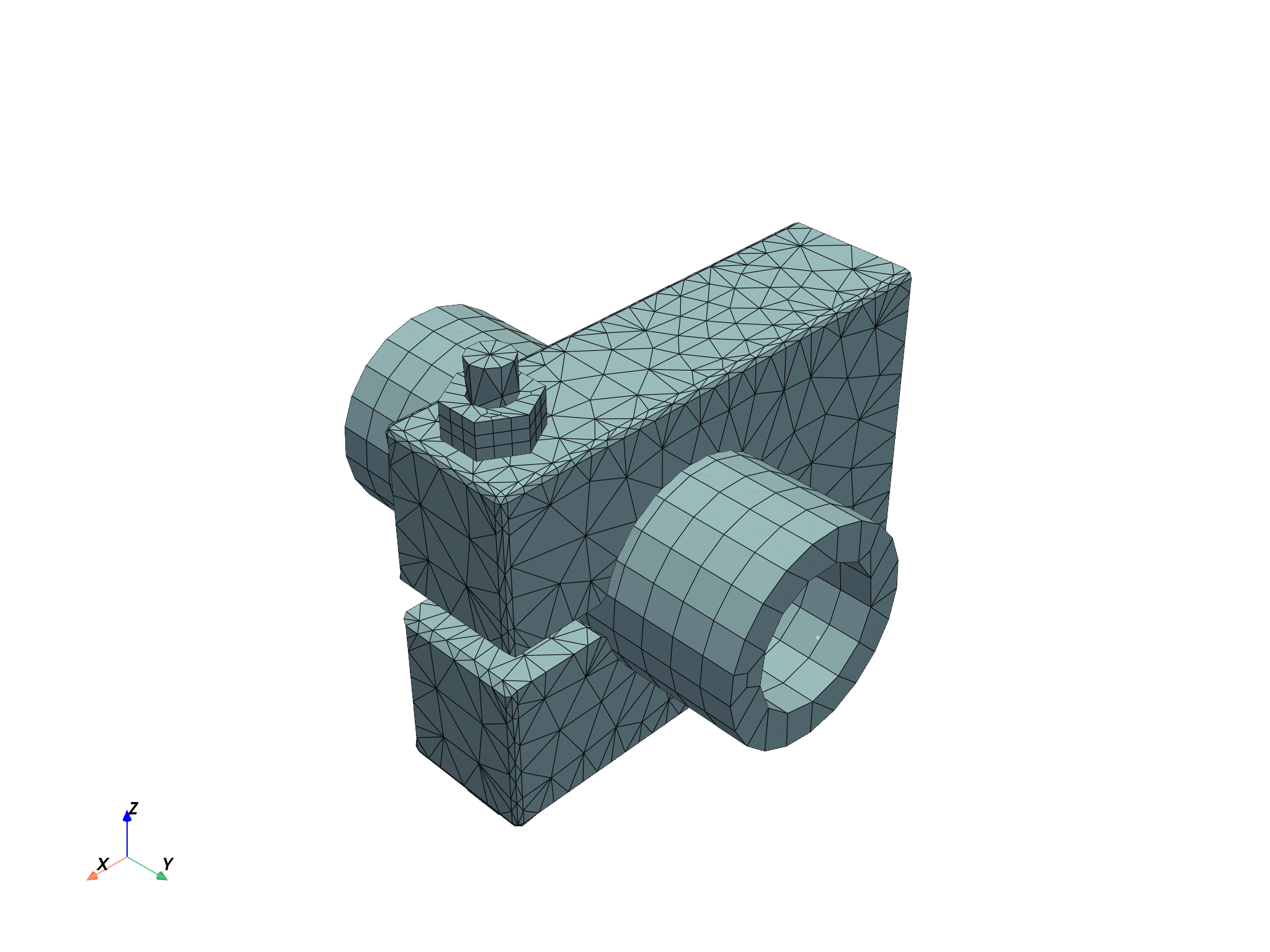
Plot the mesh to view the bare mesh of the model.
mesh.plot()
([], <pyvista.plotting.plotter.Plotter object at 0x7fc85662b820>)
Get basic information about mesh#
The Mesh object has several properties allowing access to different information.
Get the number of nodes.
print(f"This mesh contains {mesh.num_nodes} nodes")
This mesh contains 9943 nodes
Get the list of node IDs.
print(f"with IDs: {mesh.node_ids}")
with IDs: [ 1 2 3 ... 9941 9942 9943]
Get the number of elements.
print(f"This mesh contains {mesh.num_elements} elements")
This mesh contains 5803 elements
Get the list of element IDs.
print(f"with IDs {mesh.element_ids}")
with IDs [3487 3960 1449 ... 8438 8437 8540]
Get the unit of the mesh.
print(f"The mesh is in '{mesh.unit}'")
The mesh is in 'mm'
Get named selections#
The available named selections are given as a dictionary
with the names as keys and the actual NamedSelection objects as values.
Print the dictionary to get the available names.
named_selections = mesh.named_selections
print(named_selections)
NamedSelections dictionary with 4 named selections:
        - 'CLAMP'
        - 'PIPE'
        - 'SCREW'
        - '_FIXEDSU'
Get a specific named selection by using its name as the key.
print(named_selections["_FIXEDSU"])
NamedSelection '_FIXEDSU'
 with DPF  Scoping:
  with Nodal location and 161 entities
Get elements#
Get a list of the elements.
print(mesh.elements)
[tet10, ..., point1]
Get a specific element by its ID.
print(mesh.elements.by_id[1])
DPF Element 1
        Index:         4239
        Nodes:           20
        Type:         Hex20
        Shape:        Solid
Get a specific element by its index.
element_0 = mesh.elements[0]
print(element_0)
DPF Element 3487
        Index:            0
        Nodes:           10
        Type:         Tet10
        Shape:        Solid
Get information about a particular element#
You can request the IDs of the nodes attached to an element.
print(element_0.node_ids)
[3548, 3656, 4099, 3760, 6082, 6650, 6086, 6085, 6647, 7147]
Get the list of the element’s nodes.
print(element_0.nodes)
[<ansys.dpf.core.nodes.Node object at 0x7fc84cc62770>, <ansys.dpf.core.nodes.Node object at 0x7fc84cc61d20>, <ansys.dpf.core.nodes.Node object at 0x7fc84cc61ea0>, <ansys.dpf.core.nodes.Node object at 0x7fc84ce96aa0>, <ansys.dpf.core.nodes.Node object at 0x7fc863b8e1a0>, <ansys.dpf.core.nodes.Node object at 0x7fc84ce7ccd0>, <ansys.dpf.core.nodes.Node object at 0x7fc84ce7c2b0>, <ansys.dpf.core.nodes.Node object at 0x7fc84ce7e740>, <ansys.dpf.core.nodes.Node object at 0x7fc84ce7f700>, <ansys.dpf.core.nodes.Node object at 0x7fc84ce7c5b0>]
Get the number of nodes attached to the element.
print(element_0.num_nodes)
10
Get the type of the element.
print(element_0.type_info)
print(element_0.type)
Element Type
------------
Enum id (dpf.element_types): element_types.Tet10
Element description: Quadratic 10-nodes Tetrahedron
Element name (short): tet10
Element shape: solid
Number of corner nodes: 4
Number of mid-side nodes: 6
Total number of nodes: 10
Quadratic element: True
element_types.Tet10
Get the shape of the element.
print(element_0.shape)
solid
Get element types and materials#
The Mesh object provides access to properties defined on all elements,
such as their types or associated materials.
Get the type of all elements.
print(mesh.element_types)
    results elem_type_id
element_ids
       3487            0
       3960            0
       1449            0
       3131            0
       3124            0
       3126            0
        ...          ...
Get the materials of all elements.
print(mesh.materials)
    results material_id
element_ids
       3487           1
       3960           1
       1449           1
       3131           1
       3124           1
       3126           1
        ...         ...
Get elemental connectivity#
The elemental connectivity maps elements to connected nodes using either IDs or indexes.
Access the indexes of the connected nodes using an element’s index:
element_to_node_connectivity = mesh.element_to_node_connectivity
print(element_to_node_connectivity[0])
[3547, 3655, 4098, 3759, 6081, 6649, 6085, 6084, 6646, 7146]
Access the IDs of the connected nodes using an element’s index:
element_to_node_ids_connectivity = mesh.element_to_node_ids_connectivity
print(element_to_node_ids_connectivity[0])
[3548, 3656, 4099, 3760, 6082, 6650, 6086, 6085, 6647, 7147]
Each connectivity object has a by_id property that changes the input from index to ID.
Access the indexes of the connected nodes using an element’s ID.
element_to_node_connectivity_by_id = mesh.element_to_node_connectivity.by_id
print(element_to_node_connectivity_by_id[3487])
[3547, 3655, 4098, 3759, 6081, 6649, 6085, 6084, 6646, 7146]
Access the IDs of the connected nodes using an element’s ID:
element_to_node_ids_connectivity_by_id = mesh.element_to_node_ids_connectivity.by_id
print(element_to_node_ids_connectivity_by_id[3487])
[3548, 3656, 4099, 3760, 6082, 6650, 6086, 6085, 6647, 7147]
Get a node or node information#
Get a node by its ID.
node_1 = mesh.nodes.by_id[1]
print(node_1)
Node(id=1, coordinates=[44.90718016, 12.57776697, 53.33333333])
Get a node by its index.
print(mesh.nodes[0])
Node(id=1, coordinates=[44.90718016, 12.57776697, 53.33333333])
Get the coordinates of all nodes.
print(mesh.coordinates)
            results  coord (m)
node_ids components
       1          X 4.4907e+01
                  Y 1.2578e+01
                  Z 5.3333e+01
       2          X 4.4907e+01
                  Y 1.2578e+01
                  Z 5.1667e+01
     ...        ...        ...
Get the coordinates of a particular node.
print(node_1.coordinates)
[44.90718016, 12.57776697, 53.33333333]
Get nodal connectivity#
The nodal connectivity maps nodes to connected elements, either using IDs or indexes.
Access the indexes of the connected elements using a node’s index.
node_to_element_connectivity = mesh.node_to_element_connectivity
print(node_to_element_connectivity[0])
[4216, 4218, 4219, 4242, 4244, 4245]
Access the IDs of the connected elements using a node’s index.
node_to_element_ids_connectivity = mesh.node_to_element_ids_connectivity
print(node_to_element_ids_connectivity[0])
[11, 8, 14, 10, 7, 13]
Each connectivity object has a by_id property that changes the input from index to ID.
Access the indexes of the connected elements using a node’s ID.
node_to_element_connectivity_by_id = mesh.node_to_element_connectivity.by_id
print(node_to_element_connectivity_by_id[1])
[4216, 4218, 4219, 4242, 4244, 4245]
Access the IDs of the connected elements using a node’s ID.
node_to_element_ids_connectivity_by_id = mesh.node_to_element_ids_connectivity.by_id
print(node_to_element_ids_connectivity_by_id[1])
[11, 8, 14, 10, 7, 13]
Split global mesh into mesh parts#
You can split the global mesh according to mesh properties to work on specific parts of the mesh.
meshes = simulation.split_mesh_by_properties(
    properties=[elemental_properties.material, elemental_properties.element_shape]
)
A Meshes object obtained.
print(meshes)
DPF  Meshes Container
  with 17 mesh(es)
  defined on labels: elshape mat

  with:
  - mesh 0 {mat:  1, elshape:  2, } with 6673 nodes and 3517 elements.
  - mesh 1 {mat:  9, elshape:  1, } with 189 nodes and 55 elements.
  - mesh 2 {mat:  10, elshape:  16, } with 189 nodes and 55 elements.
  - mesh 3 {mat:  5, elshape:  1, } with 842 nodes and 319 elements.
  - mesh 4 {mat:  6, elshape:  16, } with 842 nodes and 319 elements.
  - mesh 5 {mat:  7, elshape:  1, } with 676 nodes and 306 elements.
  - mesh 6 {mat:  4, elshape:  2, } with 503 nodes and 72 elements.
  - mesh 7 {mat:  14, elshape:  1, } with 98 nodes and 24 elements.
  - mesh 8 {mat:  15, elshape:  1, } with 98 nodes and 24 elements.
  - mesh 9 {mat:  8, elshape:  16, } with 676 nodes and 306 elements.
  - mesh 10 {mat:  2, elshape:  2, } with 2107 nodes and 345 elements.
  - mesh 11 {mat:  3, elshape:  2, } with 658 nodes and 302 elements.
  - mesh 12 {mat:  11, elshape:  1, } with 176 nodes and 56 elements.
  - mesh 13 {mat:  16, elshape:  1, } with 97 nodes and 23 elements.
  - mesh 14 {mat:  13, elshape:  1, } with 97 nodes and 23 elements.
  - mesh 15 {mat:  12, elshape:  16, } with 176 nodes and 56 elements.
  - mesh 16 {mat:  16, elshape:  16, } with 1 nodes and 1 elements.
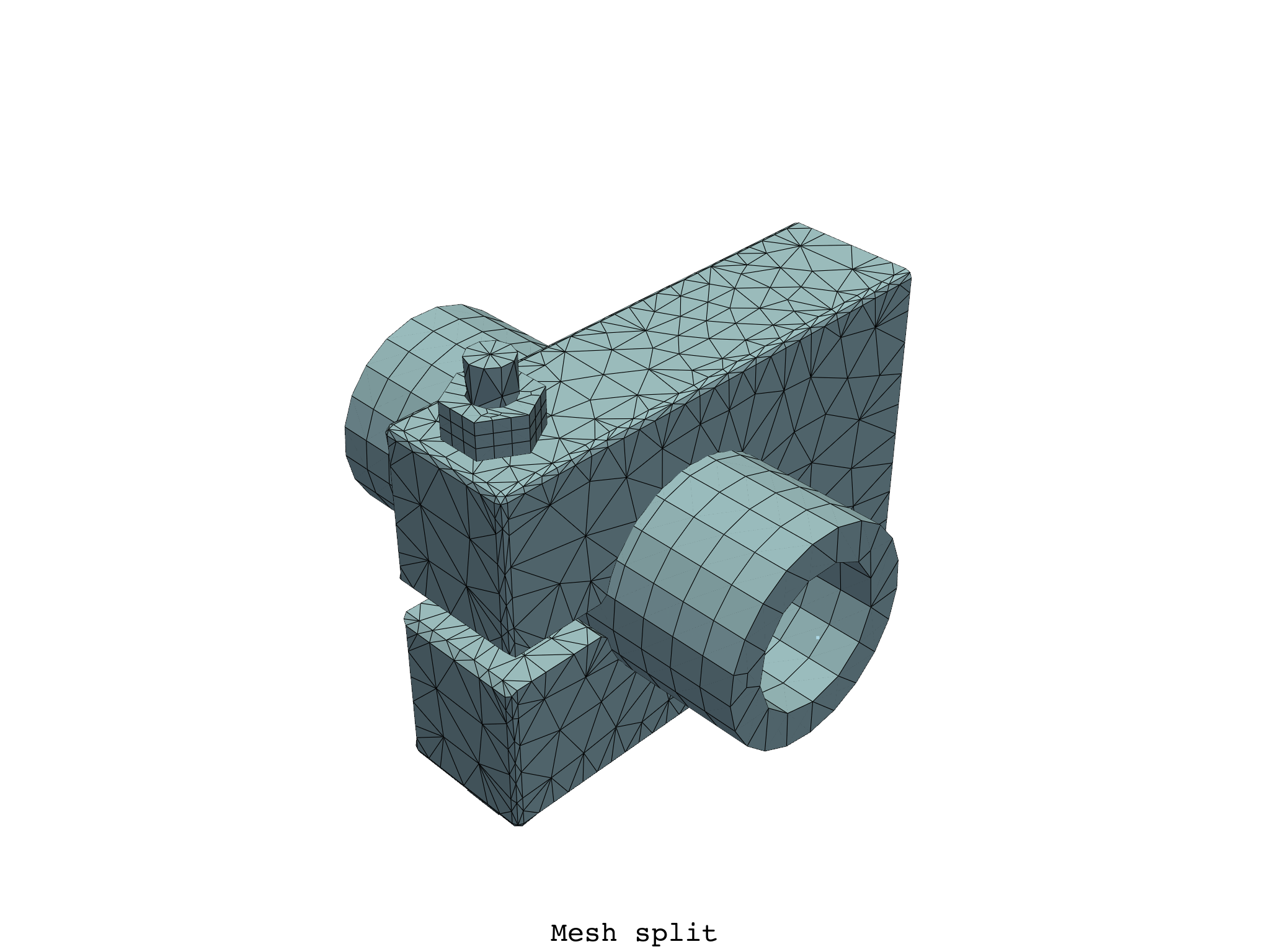
Plot a Meshes object to plot a combination of all Mesh objects within the split mesh.
meshes.plot(text="Mesh split")
([], <pyvista.plotting.plotter.Plotter object at 0x7fc85662a050>)
Select a specific ``Mesh``object in the split mesh by index.
meshes[0].plot(text="First mesh in the split mesh")
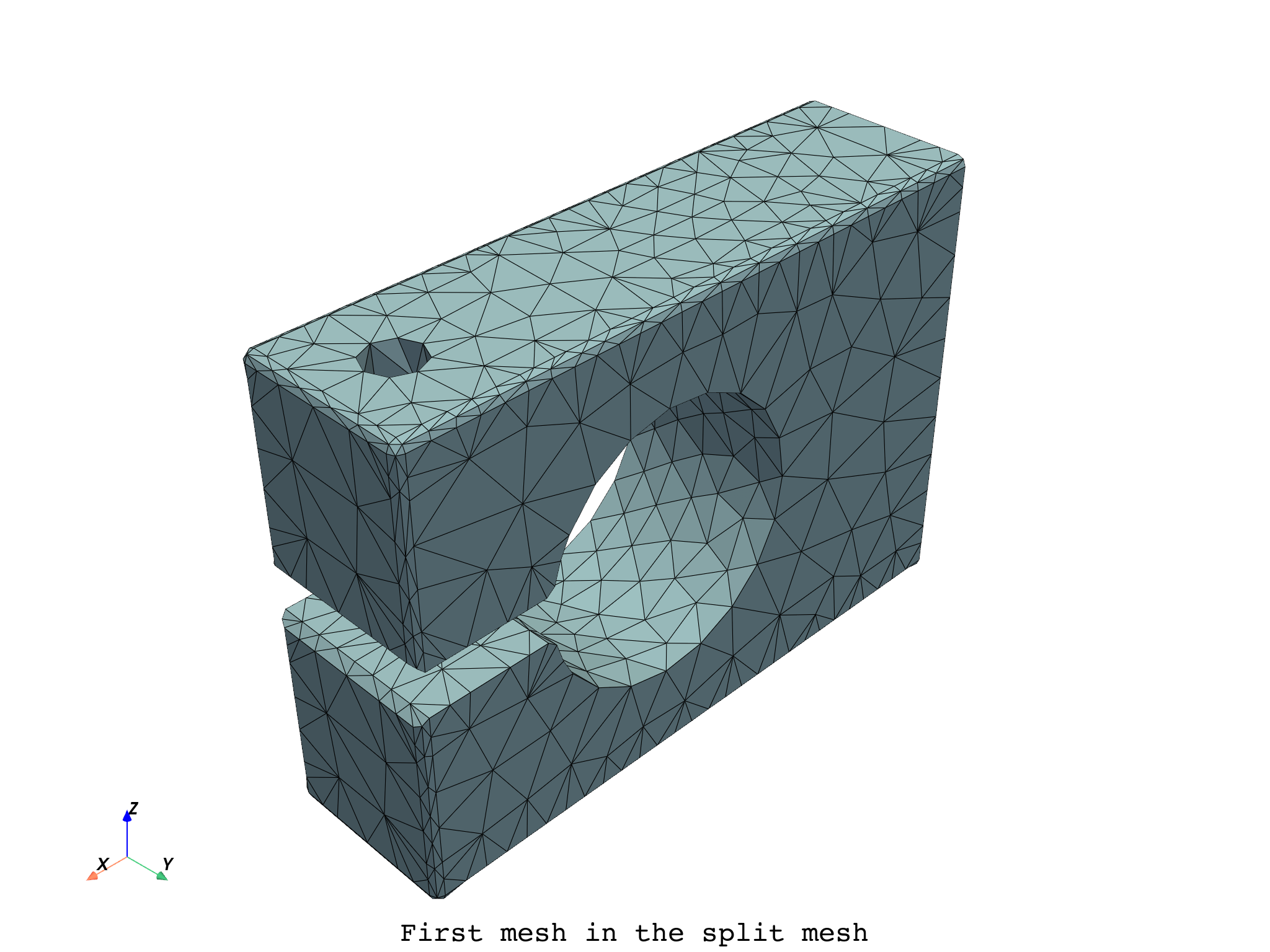
([], <pyvista.plotting.plotter.Plotter object at 0x7fc856365ff0>)
Split the global mesh and select meshes based on specific property values.
meshes_filtered = meshes.select_solids(mat=[2, 3, 4])
meshes_filtered.plot(text="Mesh split and filtered")
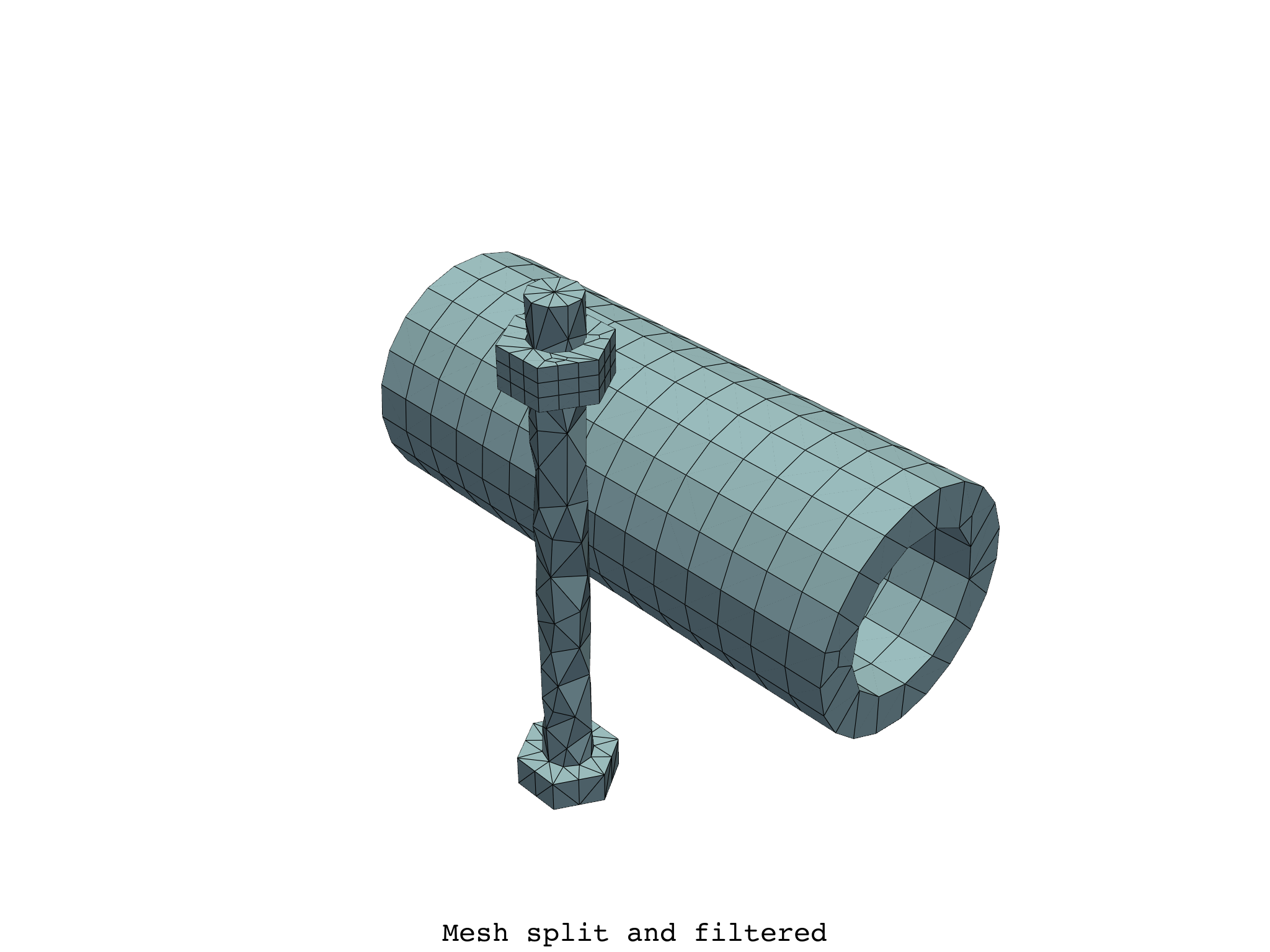
([], <pyvista.plotting.plotter.Plotter object at 0x7fc8563efbe0>)
Select a mesh object with a unique combination of property values.
meshes_filtered = meshes.select_shells(mat=5).plot()
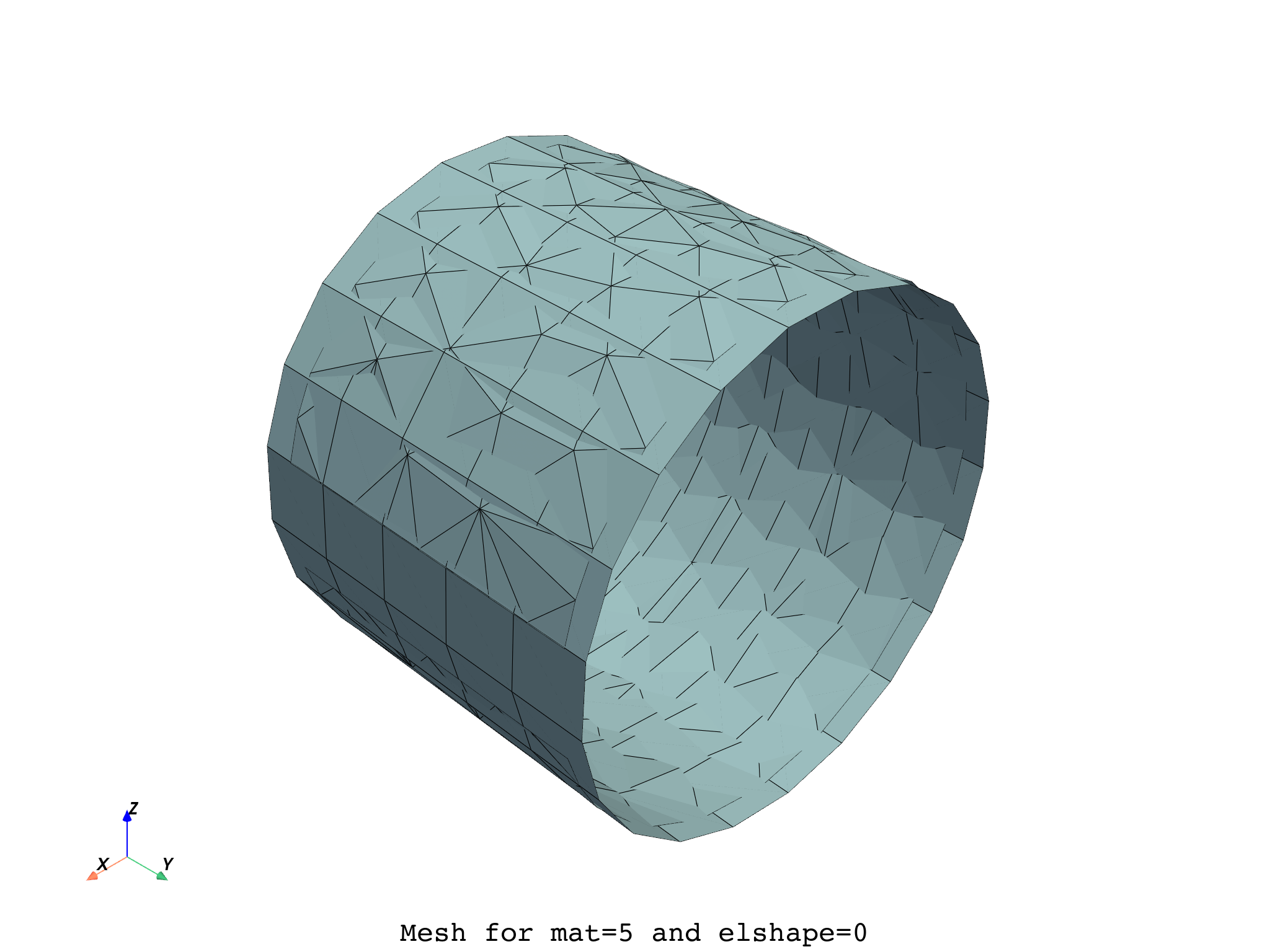
Total running time of the script: (0 minutes 2.416 seconds)